Shivantika Saxena
Her draft had a warm editorial look and no way to book; now clients book on their own and pay her by UPI.
Live since 5 Aug 2026, booking checked 25 Oct 2026
0 to 2 session types a client can book without messaging her first: a free 20 minute consult and a 50 minute session.
Measured, source 2₹35.40 stays with her on each ₹1,500 session, with no gateway taking Razorpay's standard 2% plus 18% GST on that 2%.
Modelled, source 4Razorpay's page offered new accounts 0% for their first 90 days, so a first year would save less.
7 steps on her side of the booking setup, down from 14 checklist items and 6 questions typed by hand.
Measured, source 34 days from my first commit to the commit that put her own calendar on the page, 3 to 7 Aug 2026.
Measured, source 1
Six steps from reading to a session
This is the path a client takes on her site today, from the first read to a session. Each step was checked against her public pages and my setup script on 25 Oct 2026, without booking anything.
-
Read the page
The site itself has 0 forms and 0 inputs Measured, source 5. Everything a client types goes to her Cal.com booking.
-
Choose a session
0 to 2 session types Measured, source 2 a client can book without messaging her: a free 20 minute consult or a 50 minute session.
-
Pick a time
Paid sessions open in a rolling window of 7 days Measured, source 2, on India time. The scheduler's free plan costs $0 a month Reported, source 6.
-
Answer her questions
Her intake questions arrive with the booking, so she can read them before the first call.
-
Pay her by UPI
No gateway, so ₹35.40 of each ₹1,500 fee Modelled, source 4 stays with her. The booking waits until she confirms the payment.
-
Join on Google Meet
Both session types run on Google Meet. The free consult skips the payment and confirms at once.
Her draft had a design, but no booking
She sent me one HTML file: an editorial layout, a warm palette and a CBT thought record card in the hero. Every detail was a placeholder, and clients had no way to book.
I kept the calendar choice open, with one line that could load Calendly or Cal.com, until I understood how a session should work for her: which sessions, how long, how many a day, a gap after each, how far ahead, the reminder, and how she takes money. Her answers on 6 Aug 2026 became the settings in the path above.
I kept her look and rebuilt it as plain files that any host can serve. My first commit, on 3 Aug 2026, still had 30 placeholder slots Measured, source 7, and the booking section was an empty box. Her real details went into the page about 2 hours later Measured, source 1.
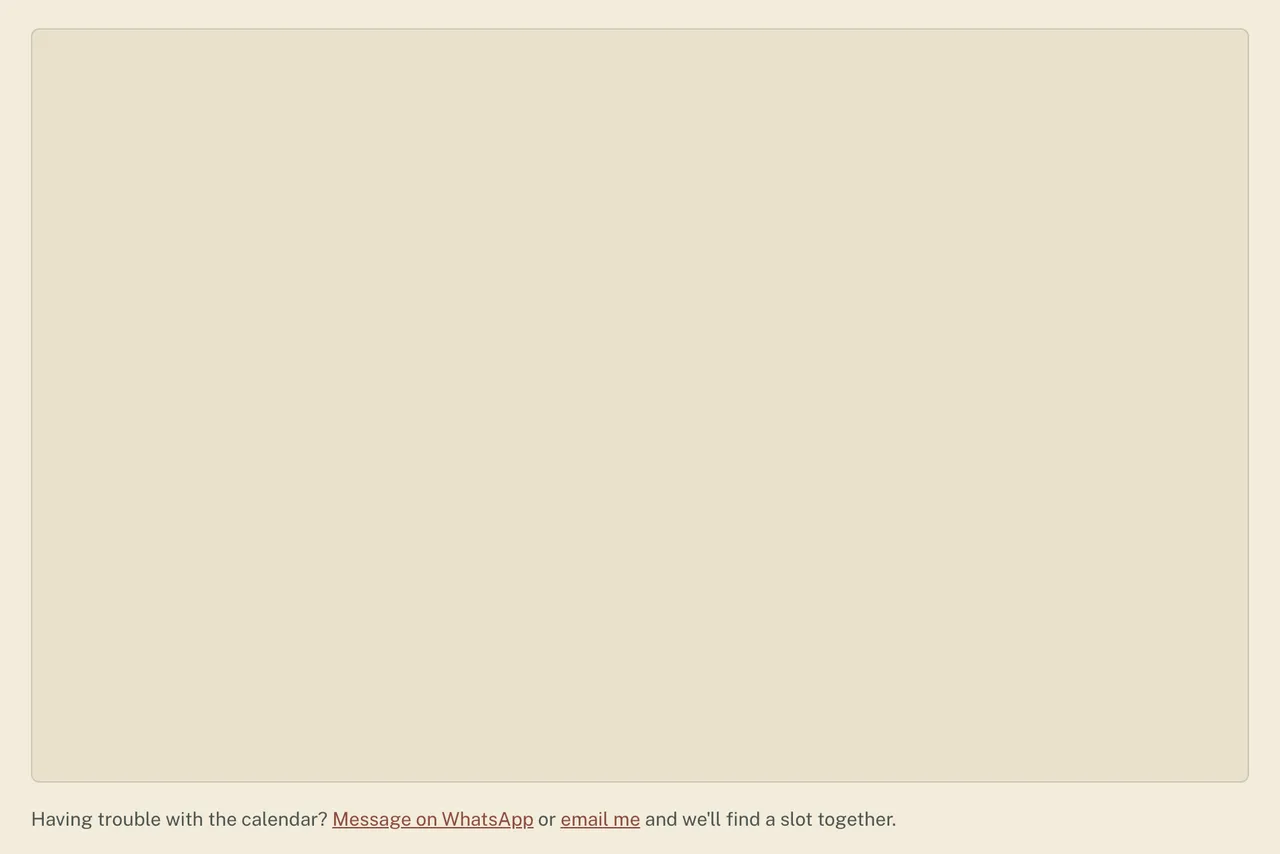
The gateway she did not need
The obvious way
A prepaid booking: Calendly for the calendar and a payment gateway, such as Stripe or Razorpay, for the fee. My own notes from the first days called it the likely fit.
What it would cost
A gateway keeps a share of every fee, UPI payments included. Calendly's free plan allows one session type and no automatic reminders, and she wanted two session types and a reminder the day before.
₹35.40 a session to Razorpay at its standard rate: 2% of her ₹1,500 fee, plus 18% GST on that 2%. Modelled, source 4
$120 to $144 a year for Calendly Standard, one seat: $10 a month billed yearly, or $12 billed monthly. Modelled, source 9
She already took UPI. The booking only had to wait for her.
What I built
Cal.com's free plan, which allows both session types and templated reminders. The paid session asks for her confirmation: the client books, pays her by UPI, and she confirms when the money lands. I set the slot to stay held meanwhile, so nobody else can take it. The free consult confirms at once.
- ₹1,500 × 2% = ₹30
- ₹30 × 18% GST Reported, source 8 = ₹5.40
- ₹35.40 a session Modelled, source 4
Razorpay's page offered new accounts 0% for their first 90 days Reported, source 4 when I read it on 25 Oct 2026, so the saving in a first year would be smaller.
Seven steps on her side
Setting up Cal.com by hand meant 14 checklist items and 6 questions to type Measured, source 3. I moved the session settings and the intake questions into a script, so her part became 7 steps Measured, source 3, and each step inside Cal.com has a direct link.
First checklist
- Install and allow Google CalendarKept as step 02
- Install Google MeetKept as step 03
- Create the 50 minute session with the fee note (left her list)Script
- Create the free 20 minute consult (left her list)Script
- Leave 15 minutes after each session (left her list)Script
- Allow at most 4 bookings a day (left her list)Script
- Open booking up to 1 week ahead (left her list)Script
- Set the time zone to ISTKept as step 04
- Set her available days and timesKept as step 04
- Put the UPI payment note in each description (left her list)Script
- Note her cancellation policy (left her list)Note
- Create the 24 hour client reminderKept as step 07
- Check her own booking alerts (left her list)Note
- Copy the booking link and send it to me (left her list)Me
- Type 6 booking questions by hand (left her list)Script
The guide now
- Create a Cal.com accountOwner
- Connect Google CalendarOwner
- Connect Google MeetOwner
- Set hours and the time zone (IST)Owner
- Create an API keyOwner
- Send me the key privately, with the UPI details, and confirm the booking windowOwner
- After the script runs, switch on the 24 hour email reminderOwner
My part: run the setup script once. It needs nothing beyond Node.
7 steps Measured, source 3 About 5 minutes Reported, source 3, by the guide's own estimate.
One run of the script sets 17 settings Measured, source 11 across the two session types, intake questions included. Run it twice and nothing doubles: Cal.com refuses a second event at the same address, and the script prints that refusal.
She had already made 3 session types Reported, source 10 by hand that overlapped these. I hid them through the API instead of deleting them, so one call each brings them back.
- 6 Aug 2026
- 16:14 IST first checklist
- 16:34 the script
- 17:11 direct links into Cal.com Measured, source 1
The way back: booking runs from one line in the site's script. Point it at another calendar to switch provider or account, or empty it and only the WhatsApp and email line remains.
Closer to her document each time
Her own calendar was wired into the page 4 days Measured, source 1 after my first commit. The look took longer. In all, the site took 23 commits over 9 days of work, from 3 Aug to 24 Sep 2026. Measured, source 1
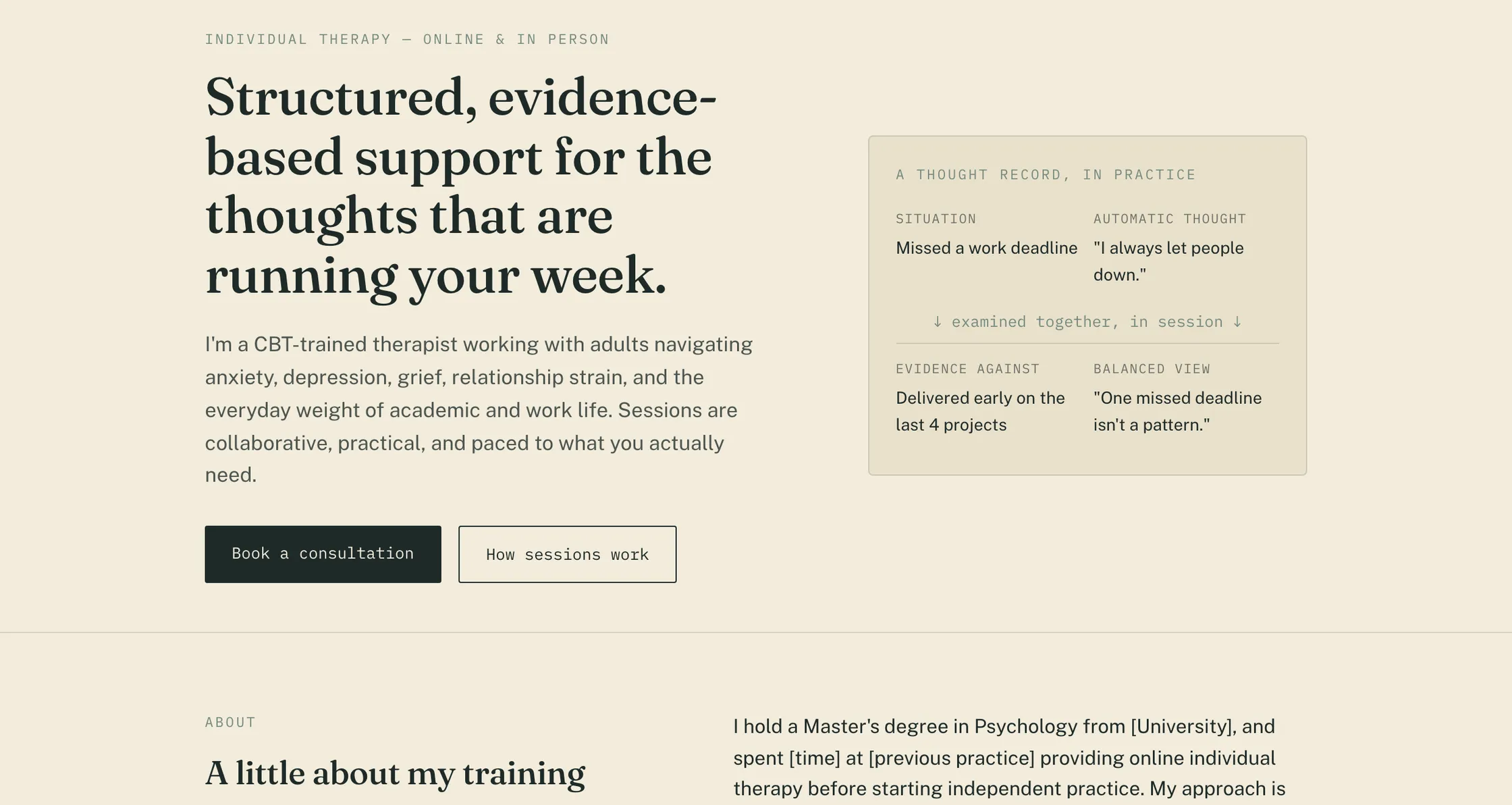
Her draft's look, rebuilt as plain files any host can serve.
Starting from her own file meant no guessing yet. The booking box and her details were still empty.
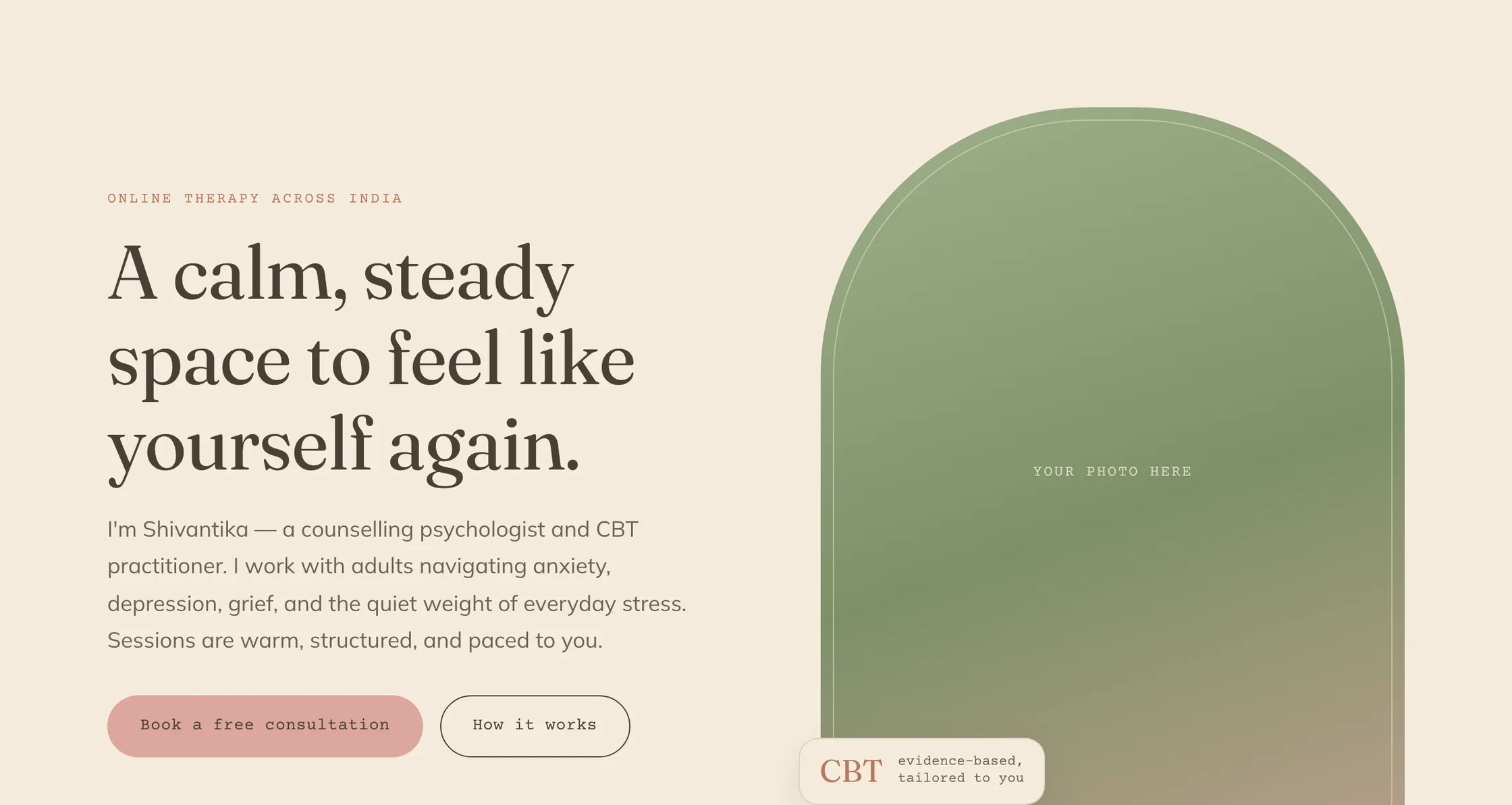
A redesign in warm sage, cream and blush: arched frames, a running line and typewriter labels.
The photo slot became a drawing the same night, and the arch is still on the live page.
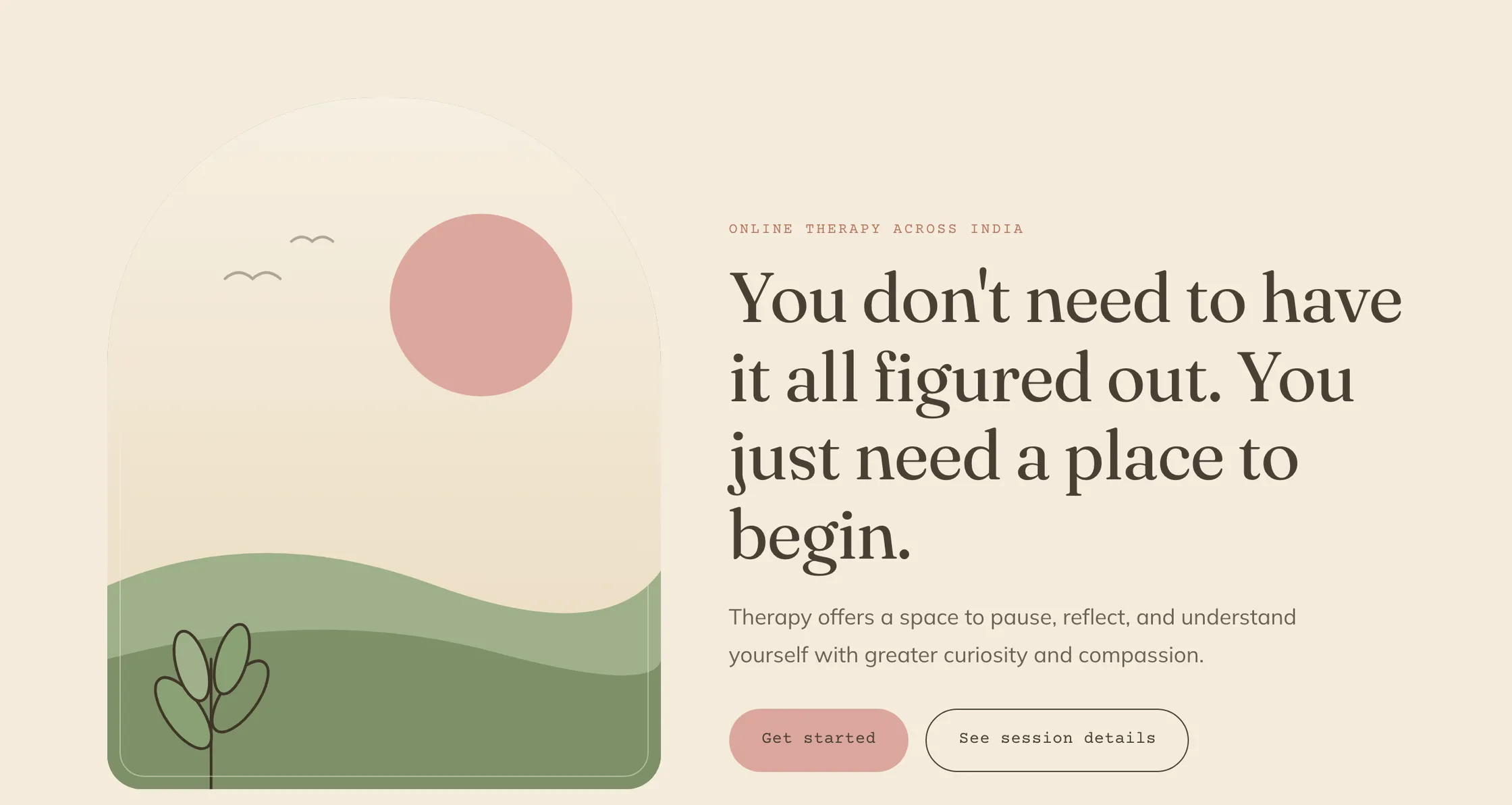
Rebuilt to the Website flow tab of her document.
Her document sets the order of the page, not my guess.
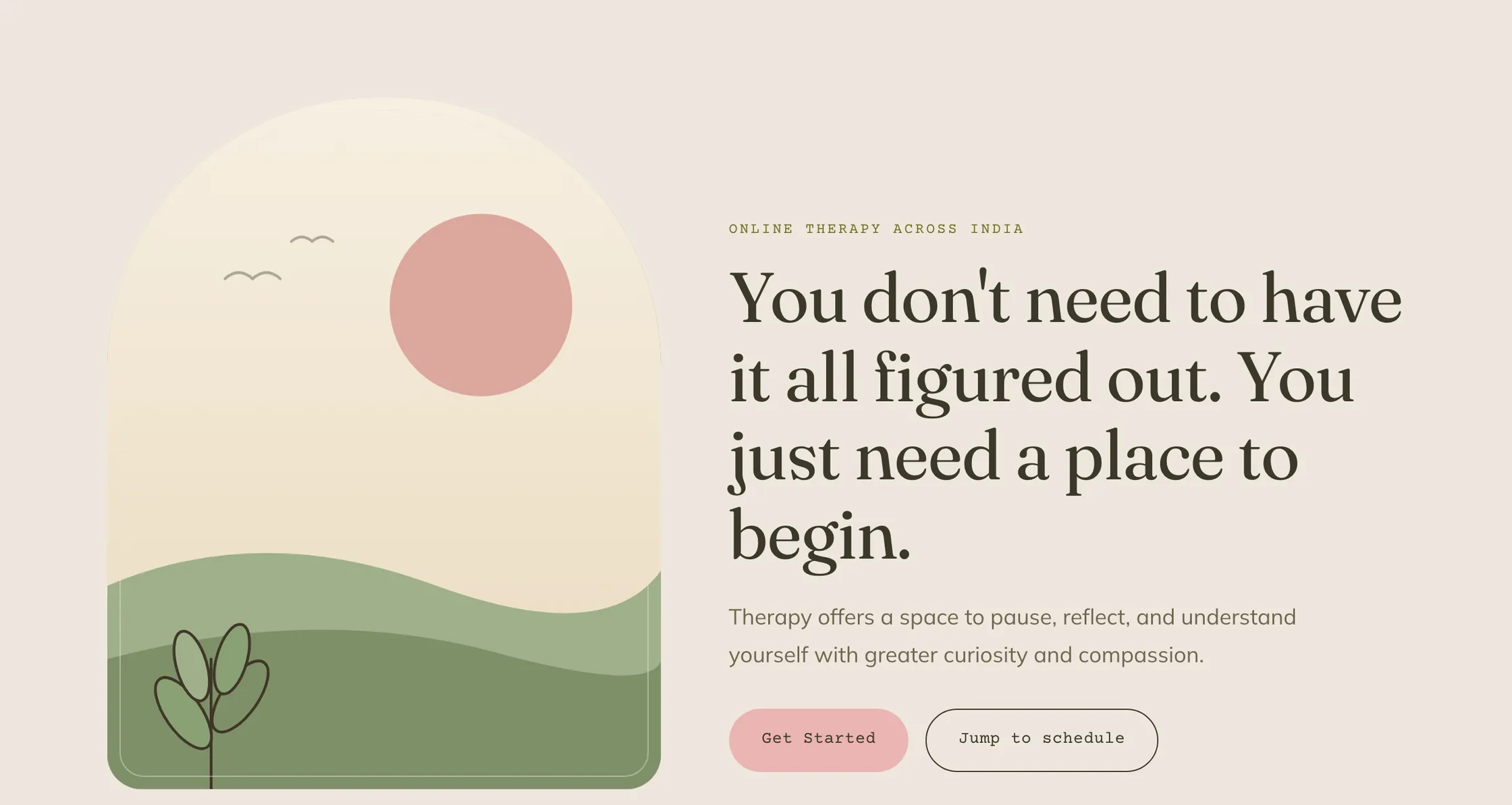
Her exact palette and her button labels.
Colours sampled from her document's pixels were 1 to 2 units off Measured, source 10 in some channels, so the named hex values from her PDF replaced them the same day.

Two typefaces instead of three, and no dashes in the copy.
Her feedback was that the fonts did not match. 13 dashes and 12 hyphenated words came out of the copy, and none remain in the live page's own text. Measured, source 12
Captures: the live site and renders of four earlier commits, 25 Oct 2026
Small enough to keep running
The page is built from three hand written files, an icon and three drawings: 29,804 bytes in all Measured, source 13, with no framework and no build step.
- Runs on
- Vercel, as plain files with no build step, so any static host can serve them.
- Costs to run
- Cal.com's free plan and no gateway fees. No domain is bought yet; the site runs on a vercel.app address. The Vercel plan and its cost are not recorded.
- Moving parts
- The page, her Cal.com account, and one optional function that can send her a WhatsApp note for each new booking.
- If the calendar fails
- The WhatsApp and email line under it still works, with or without JavaScript.
- Switching
- One line in the site's script picks the calendar. Paste a Calendly or a Cal.com link and the page loads the right one.
- Client data
- The site has no forms. Intake answers reach her through Cal.com, and keys stay out of git.
- Her rules
- No dashes, two typefaces and her exact palette are written into the project notes, so the next edit keeps them.
- Headers
- The live page sends 5 security headers Measured, source 5. A content security policy is not set yet.
What this taught me
The hard part was never the calendar. It was asking how she already took payment, which removed the gateway, and finding the setting that holds a slot until she confirms. After that the work was listening: her document set the order, her PDF set the colours, and her rules now sit in the notes where the next edit will find them.
Get this for your business
- Who it is for
- Solo practitioners, such as therapists, coaches and tutors, who have a draft or a clear idea for their site and no way for clients to book.
- What you get
- A one page site in your own look and words. Self serve booking on a free scheduler plan, with your intake questions asked before the first call. Payment by UPI with no gateway fee, each paid slot held until you confirm. A WhatsApp or email line in case the calendar fails, and copy that makes no outcome claims.
- What you need
- Your draft or brief, your palette and copy, a Cal.com account connected to Google Calendar and Google Meet, and your UPI ID.
- Setup
- I write the site and a script that sets up your sessions, limits and intake questions. Your part is a short list of steps, with a direct link to each screen you need. Here, her own calendar was wired into the page a few days after my first commit.
kshitijbhatnagar97@gmail.com
No prices here. I scope each setup after I hear how your work runs today.
How these numbers were measured
- Measured
- Observed with a tool or a log.
- Reported
- A person or a document said it; the source names who.
- Modelled
- Computed from inputs shown on the page.
- Example
- An illustration or a default you can change.
- 1
Git history of the site's repository, read with git log on 25 Oct 2026: 23 commits on 9 distinct days from 3 Aug to 24 Sep 2026. Dates and times are IST, here and everywhere on this page. 3 Aug: first commit 6230e23 at 16:17 and her real details in 66ce058 at 18:14. 6 Aug: the first setup checklist in 973718b at 16:14, the setup script in 05ca2b7 at 16:34 and direct links into Cal.com in 54dac92 at 17:11. 7 Aug: her own Cal.com page wired into main.js in 3fcc4d9 at 14:33 and a WhatsApp alert function in 85013ca at 15:02. 12 Aug: the redesign in d6b5d0c at 01:46 and drawn illustrations in b123aa7 at 02:51. 13 Aug: the rebuild to her document's flow in 40ae237 at 15:46, sampled colours in 46e35d9 at 16:12 and her exact palette in b4c4fbd at 17:17. 24 Sep: two typefaces and no dashes in 3d4a802 at 20:29. Commit times, not deploy times.
- 2
The practice's public Cal.com pages, read on 25 Oct 2026 without booking anything: two visible session types, Free Initial Consultation (20 minutes, confirmed at once) and Therapy Session (50 minutes, needs her confirmation, Google Meet, a rolling booking window of 7 days on Asia/Kolkata time, stored as ROLLING_WINDOW). Before: her draft had no booking (project notes), and my first commit's booking section rendered as an empty box.
- 3
The Cal.com setup guide kept in the site's repository, in two versions: the first (commit 973718b, 6 Aug 2026) has 16 checklist lines, 2 of them optional, and 6 booking questions to type by hand; the current one (commit 54dac92, the same day) has 7 steps, 6 of them with a direct link into Cal.com and 1 a message to me, and estimates about 5 minutes. Lines counted on 25 Oct 2026. The minutes are the guide's estimate, not a timing.
- 4
Razorpay pricing page, read 25 Oct 2026: 2% per transaction plus GST, and the same 2% platform fee on UPI payments taken through the gateway; new accounts were offered 0% for their first 90 days. Her fee of ₹1,500 a session is from her site. Model: ₹1,500 × 2% = ₹30; GST of 18% on ₹30 = ₹5.40; ₹35.40 a session. razorpay.com, opens the source
- 5
Headless Chromium render of the live site on 25 Oct 2026: 0 forms and 0 input, textarea or select elements. Response headers read the same day: frame options, content type options, referrer policy, permissions policy and strict transport security; no content security policy. therapy-site-ten.vercel.app, opens the source
- 6
Cal.com pricing page, read 25 Oct 2026: the Individuals plan is free, with unlimited event types and templated workflows. cal.com, opens the source
- 7
My first commit (6230e23, 3 Aug 2026), rendered in headless Chromium on 25 Oct 2026: the booking section is an empty box with placeholder WhatsApp and email links. 30 placeholder slots counted by pattern in its index.html (bracketed fields plus placeholder domain, phone, email and handle values: 29 single line matches and 1 that wraps a line), plus a placeholder booking link in main.js.
- 8
Razorpay's pricing explainer, published 13 Feb 2026 and read 25 Oct 2026: GST at 18% applies to the platform fee only. razorpay.com, opens the source
- 9
Calendly pricing page, read 25 Oct 2026: Free includes one event type and leaves out automated reminders; Standard costs $10 per seat per month billed yearly, or $12 billed monthly. Model: 12 × $10 = $120 and 12 × $12 = $144 a year for one seat. US dollars as listed; no conversion made. calendly.com, opens the source
- 10
The project notes kept with the site's code, not published, written during the build: payment first planned as a prepaid gateway; her answers of 6 Aug 2026 (UPI with no gateway, two session types, 15 minutes after each, 4 a day, a week ahead, a 24 hour email reminder); Cal.com chosen for its free reminder workflows; her 3 hand made duplicate session types hidden through the API, not deleted; colours first sampled from her document's pixels (Linen read as #f0e7de, Tea Rose as #ecb4b3), then replaced by the exact #EEE7DD and #EBB4B2 from her PDF; her rules of no dashes and two typefaces; the site live on Vercel since 5 Aug 2026, with no domain bought yet.
- 11
The setup script kept in the site's repository (90 lines, Cal.com API v2, Node's built in fetch), read 25 Oct 2026: 7 settings on the consultation (title, address, length, description, Google Meet, intake questions, 15 minutes after) and 10 on the paid session (the same 7, plus at most 4 a day, a 7 day rolling window and a confirmation policy that keeps the slot held while pending), 17 in all, with 6 intake questions on each. Cal.com rejects a second event at the same address, so a rerun only prints that refusal for each one.
- 12
Commit 3d4a802 (24 Sep 2026) and headless renders on 25 Oct 2026: just before that commit, index.html held 13 em or en dashes and 12 hyphenated compounds in its visible text, title and meta; the live index.html holds 0 in the same places, the viewport meta aside. Fonts loaded: Courier Prime, Fraunces and Mulish at commit b4c4fbd; Fraunces and Mulish live.
- 13
The site's own files, read 25 Oct 2026: wc -c of index.html, styles.css, main.js, favicon.svg and three SVG drawings gives 29,804 bytes, with no framework and no build step; the README says any static host works. main.js loads Calendly or Cal.com from one BOOKING_URL value and leaves only the WhatsApp and email line when it is empty (lines 14 to 23); index.html keeps that line under the calendar, with a note for readers without JavaScript (lines 199 to 211); .gitignore keeps env files out of git, and the setup script reads its key from the environment.
Credits
- Captures of Shivantika Saxena's site, live and rendered from earlier commits, made 25 Oct 2026.